Connect
Add Simple Food Memory to your chat
Simple Food Memory works inside ChatGPT and Claude, so there is no new app to learn. You add it once, approve access with your account, and from then on you just tell your chat what you ate and how you felt.
Your server URL
https://simplefoodmemory.com/mcp/simplefoodmemory
This is the link you'll paste into ChatGPT or Claude in the steps below. If the app asks for an MCP server URL, this is it.
First, create an account. You'll sign in with it on the consent screen when you connect.
In ChatGPT
- 1First turn on developer mode: open Settings → Apps → Advanced settings and enable Developer mode. It sounds technical, but it is just the switch that lets you add your own tools.
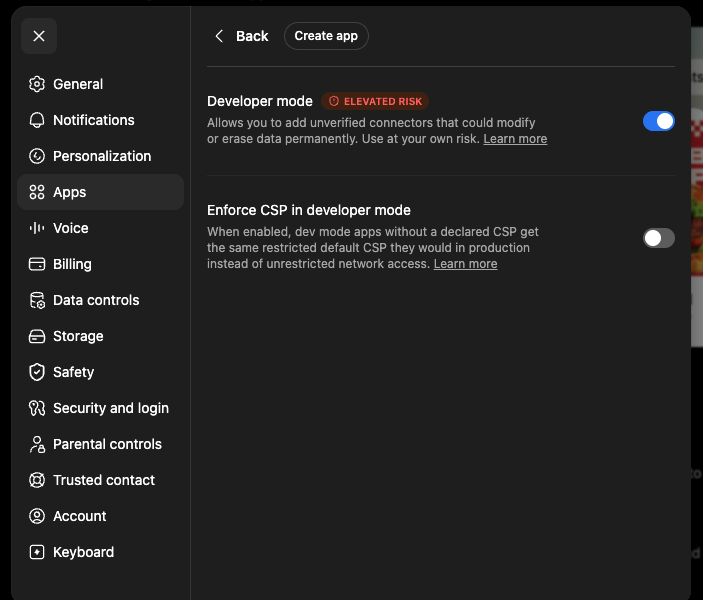
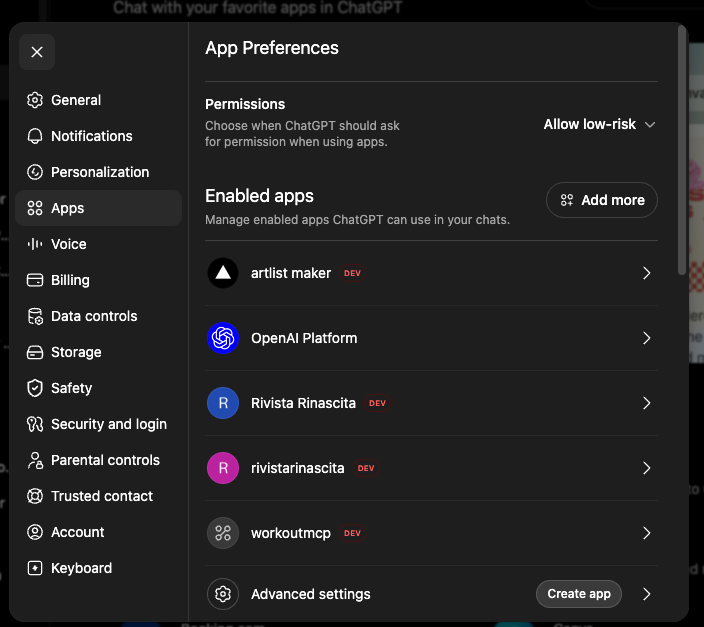
- 2Go back to Settings → Apps and click Create app, next to Advanced settings at the bottom.
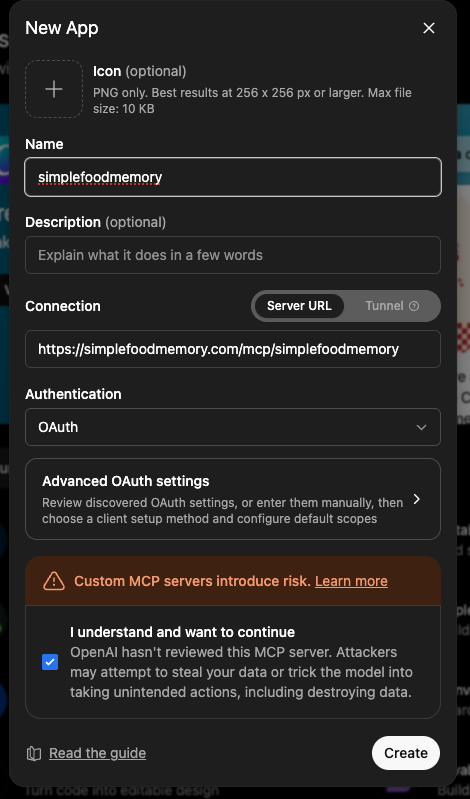
- 3Give it a name, paste the server URL above, leave Authentication on OAuth, tick the confirmation box, and click Create.
- 4Sign in and approve access on the consent screen.
- 5Start a chat and say what you ate. That's it.
Developer mode needs a paid ChatGPT plan such as Plus or Pro. The free plan cannot add custom tools yet.
How to turn on developer mode in ChatGPT →In Claude
- 1Open Settings → Connectors, click Add in the top right, then Add custom connector.
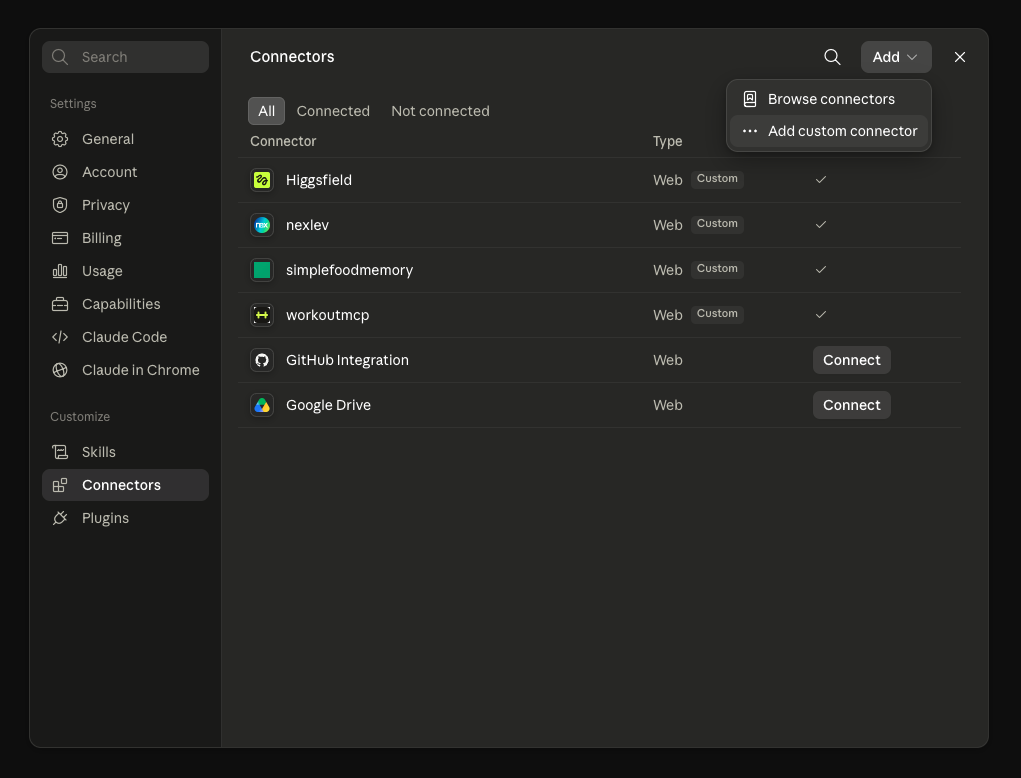
- 2Give it a name and paste the server URL above. You can ignore the advanced settings.
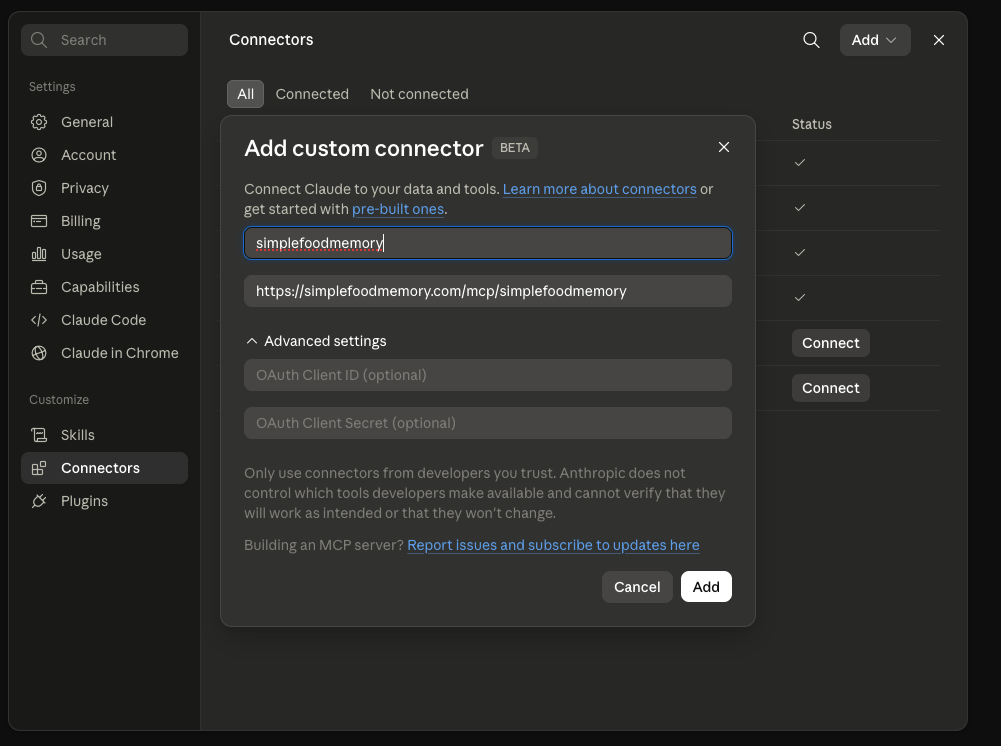
- 3Approve access on the consent screen.
- 4Ask it to log your last meal to test the connection.
Custom connectors work on every Claude plan. On the free plan you can add one custom connector.
Add a connector in Claude →Try these first
- “Lunch was a poke bowl with salmon, rice, and edamame.”
- “Felt bloated around 3pm, moderate.”
- “What foods show up before my bad days?”
No time to type? Send a photo of your plate and it logs the meal from the picture.
Kickoff prompt
After you connect, paste this into the chat to set the assistant up for logging and patterns.
You now have access to my Simple Food Memory tools. From now on, when I mention a meal, drink, or snack, log it. When I mention feeling unwell, log it as a symptom with the rough time and how strong it was. Keep replies short and plain, no nutrition lectures. When I ask what might be affecting me, look across my history for patterns and always check counterexamples before naming a possible trigger. Never diagnose. To start, confirm you can see my food and symptom history.